
Refresh Rate vs. Response Time on Monitors: Two Specs That Are Often Confused

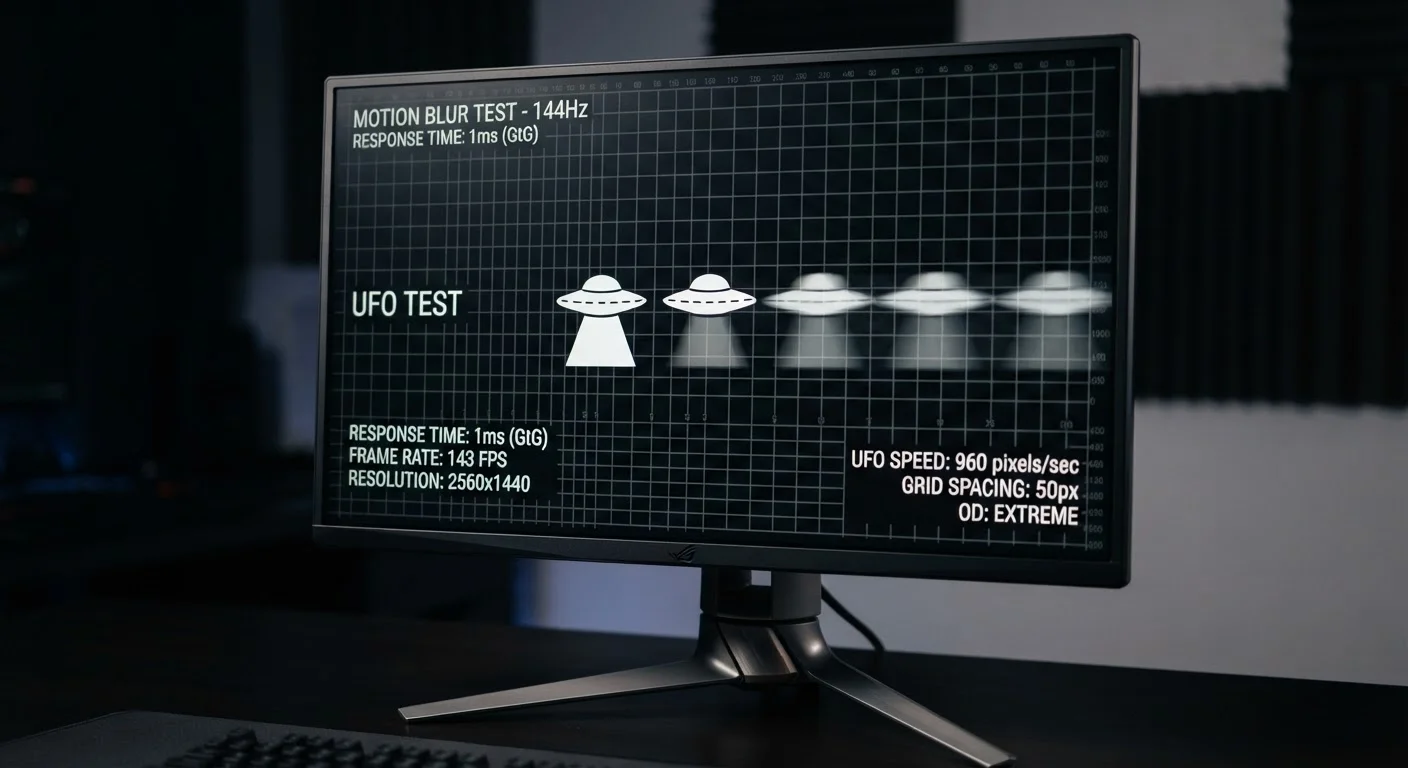
Photo: UltraSearches.com | Search Results You Can Trust editorial
Key Takeaways
- Refresh rate (Hz) controls how many frames per second the display can show - higher means smoother motion.
- Response time (ms) measures how fast a pixel transitions between colors - lower reduces ghosting.
- Both specs matter for gaming and fast-motion content, but they solve different problems.
- A high refresh rate with a slow response time can still produce visible blur or trailing.
- For everyday tasks like web browsing and office work, differences in both specs are rarely noticeable.
What Each Spec Actually Measures
Refresh rate is measured in hertz (Hz) and tells you how many times per second a monitor redraws the image on screen. A 60 Hz display updates 60 times every second. A 144 Hz display updates 144 times. More updates per second means motion looks smoother and more continuous, rather than choppy or stuttered.
Response time is measured in milliseconds (ms) and describes how long a single pixel takes to transition from one color to another. The most commonly cited measurement is GtG (gray-to-gray), which tracks a pixel shifting between two shades of gray. A 1 ms GtG time means that transition takes one-thousandth of a second. Slower transitions leave a smear or "ghost" trail behind moving objects.
These two specs are easy to conflate because both relate to how motion appears on screen. But refresh rate governs the frequency of frames, while response time governs the speed of pixel transitions. One is about timing; the other is about hardware agility.
| Criterion | Refresh Rate | Response Time |
|---|---|---|
| Unit of measurement | Hertz (Hz) | Milliseconds (ms) |
| What it measures | Frames displayed per second | Speed of pixel color transition |
| Common values | 60 Hz, 144 Hz, 240 Hz | 1 ms, 4 ms, 8 ms GtG |
| Higher/lower is better? | Higher is better | Lower is better |
| Main visual artifact if poor | Choppy or stuttered motion | Ghosting or trailing blur |
| Matters most for | Overall motion smoothness | Sharpness of fast-moving objects |
| Relevant for everyday office use? | Rarely noticeable above 60 Hz | Rarely noticeable below 8 ms |
Why Both Specs Matter - and When They Don't
For casual use - document editing, web browsing, streaming video - the practical difference between a 60 Hz and a 144 Hz monitor is subtle at best. Similarly, a 5 ms response time versus a 1 ms response time is unlikely to produce visible ghosting on a standard office application.
Gaming and other fast-motion scenarios are where both specs become meaningful. In a first-person shooter, a higher refresh rate reduces the time between frames, which means the screen more accurately reflects your current position and aim. This is sometimes described as reducing "input lag feel," though true input lag is a separate measurement entirely.
Response time becomes critical when a high refresh rate is already in play. If a monitor refreshes 240 times per second but a pixel takes 10 ms to change color, that pixel is still mid-transition across multiple frames - producing visible trailing. The two specs need to be reasonably matched to avoid that outcome.
240 Hz
High-end gaming monitor refresh rate
240 Hz panels are now widely available in gaming-focused monitors, up from 144 Hz being the high-end ceiling just a few years ago.
1 ms
Advertised GtG response time floor
Many gaming monitors advertise 1 ms GtG response times, though independent testing often shows real-world transitions closer to 2-4 ms under typical conditions.
16.7 ms
Time between frames at 60 Hz
At 60 Hz, each frame has roughly 16.7 ms of screen time - meaning a response time of 8 ms still fits within a single frame and may not cause visible ghosting.
It's also worth noting that response time figures advertised on spec sheets often reflect the best-case transition (usually light gray to dark gray). Transitions between colors at opposite ends of the spectrum can take longer. Some monitors offer an "overdrive" mode that forces faster pixel transitions, though aggressive overdrive settings can introduce their own artifact called "inverse ghosting" or pixel overshoot.
For broader context on how display specs interact, see our TV Resolution Explained guide - many of the same principles apply when evaluating resolution alongside motion specs. And if you want to know which numbers are worth less attention than manufacturers suggest, our piece on electronics specs that sound important but rarely are puts both figures in a wider context.
How to Read These Numbers on a Spec Sheet
When you see a monitor listed as 165 Hz / 1 ms GtG, read it as: the display refreshes 165 times per second, and individual pixels can transition between gray shades in roughly one millisecond under optimal conditions. That combination is generally well-suited to gaming and motion-heavy tasks.
A spec sheet showing 60 Hz / 8 ms GtG describes a display that updates less frequently and whose pixels change more slowly. For everyday productivity, that's entirely serviceable. For competitive gaming, it's a meaningful limitation.
One practical tip: treat manufacturer response time specs as relative comparisons rather than absolute guarantees. Independent reviews that test monitors under controlled conditions often reveal higher real-world response times than the advertised figure. That context matters when comparing two displays on paper alone.
Understanding specs like these is part of a broader skill set for evaluating consumer electronics - similar to parsing processor specs. Our processor specs explainer walks through how to apply the same critical approach to CPU figures.
The content on this site is for informational purposes only and is not a substitute for professional advice. Always consult a qualified professional for guidance specific to your situation.