
Bluetooth Versions and Codecs: What the Labels on Your Devices Mean

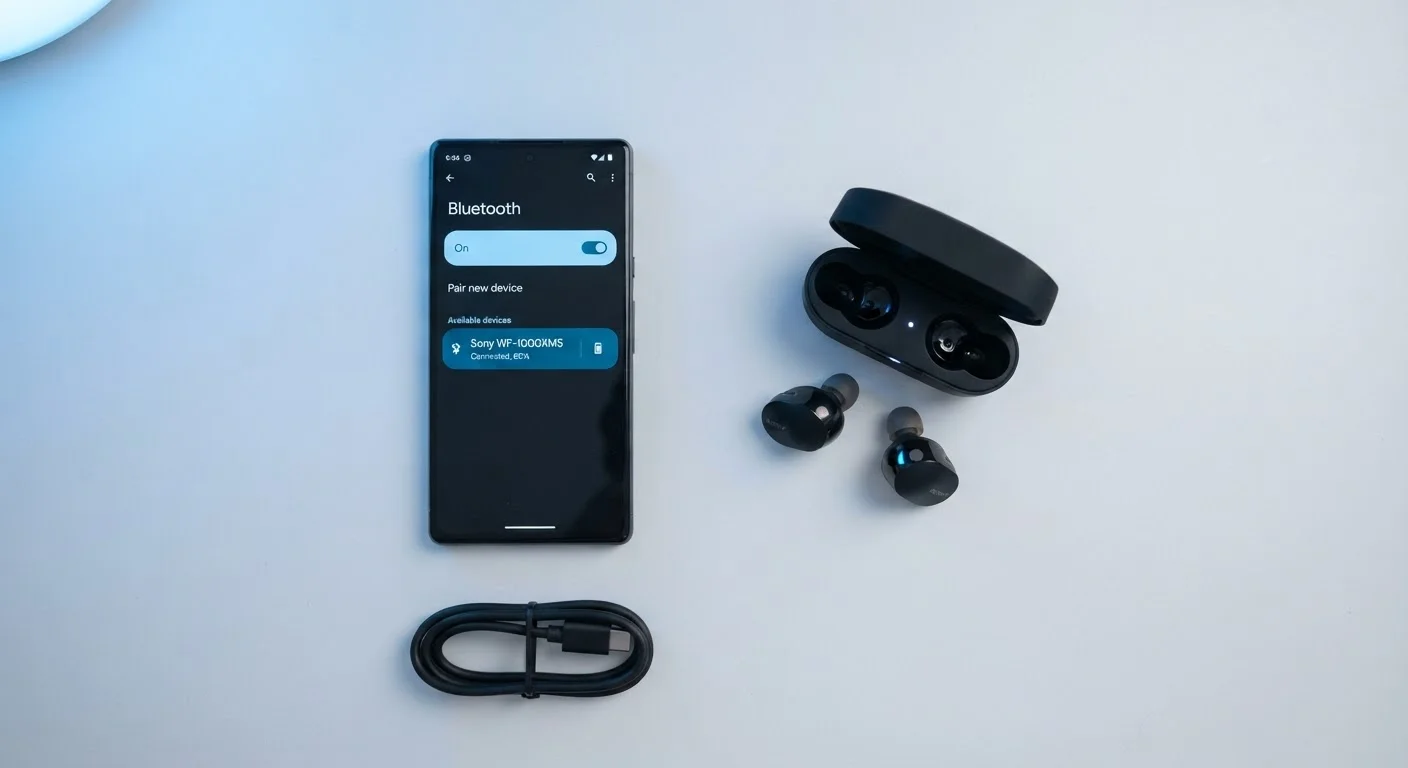
Photo: UltraSearches.com | Search Results You Can Trust editorial
Key Takeaways
- Bluetooth version numbers describe the radio connection; codecs determine audio quality.
- SBC is the universal fallback codec - present on every Bluetooth audio device.
- AAC performs well on Apple devices; aptX and LDAC target Android and hi-res audio use cases.
- Higher Bluetooth versions improve range and efficiency but don't automatically upgrade audio fidelity.
- Both the source and receiver must support the same codec for it to be used.
Bluetooth Version Numbers: What They Actually Control
When a device lists "Bluetooth 5.0" or "Bluetooth 5.3," it's describing the version of the wireless radio protocol - not a measure of audio quality. Version numbers track improvements to how the Bluetooth connection itself works: how far signals travel, how reliably connections hold, and how much power the radio draws.
Here's a brief breakdown of what each generation added:
- Bluetooth 4.x: Introduced Low Energy (LE) mode, widely used in fitness trackers and IoT devices. Audio streaming remained the same.
- Bluetooth 5.0: Doubled theoretical range (up to 800 feet in open space) and improved data throughput. Connection stability improved noticeably for many users.
- Bluetooth 5.2: Introduced LE Audio, a new audio architecture that enables multi-stream audio and the LC3 codec for voice calls and hearing aid applications.
- Bluetooth 5.3 and beyond: Incremental refinements to efficiency and interference handling.
For most everyday use - streaming music or podcasts through headphones indoors - the practical difference between Bluetooth 4.2 and 5.3 is minimal. Stability improvements matter most in dense wireless environments. See our guide to overhyped specs for more on how version numbers can be used as marketing shorthand.
Audio Codecs: The Real Driver of Wireless Sound Quality
A codec (short for coder-decoder) compresses audio data so it can travel over Bluetooth's limited bandwidth, then decompresses it at the receiving end. How much quality survives that round trip depends on which codec is used.
328 kbps
Maximum bitrate for standard SBC
SBC's ceiling is lower than most streaming audio services deliver at their highest quality tiers.
990 kbps
Maximum bitrate for LDAC
Sony's LDAC codec can transmit audio at up to 990 kbps, enabling high-resolution wireless playback.
800 ft
Theoretical Bluetooth 5.0 open-air range
Real-world range is significantly shorter due to walls, interference, and device power output.
SBC - The Universal Standard
SBC (Subband Coding) is the mandatory baseline codec every Bluetooth audio device must support. It works everywhere but uses older compression methods that sacrifice more audio detail than newer alternatives. If you've ever noticed Bluetooth audio sounding flat compared to wired listening, SBC is often the reason.
AAC - Apple's Preferred Codec
AAC (Advanced Audio Coding) is the codec used natively by Apple Music and iTunes. iPhones handle AAC encoding efficiently, making it the practical choice for Apple ecosystem users. Android's AAC implementation varies by manufacturer and can sometimes introduce latency or quality inconsistencies.
aptX and aptX HD - Qualcomm's Family
aptX was designed to deliver CD-quality audio over Bluetooth with lower latency than SBC. aptX HD extends this to 24-bit/48kHz audio, supporting higher-resolution source material. Both require Qualcomm-licensed chipsets in both devices. aptX Adaptive, a newer variant, dynamically adjusts bitrate to reduce latency and improve quality under variable conditions.
LDAC - Sony's High-Resolution Option
LDAC transmits audio at up to 990 kbps - roughly three times the data rate of standard SBC. It supports 24-bit/96kHz audio, making it the codec of choice for hi-res audio listeners. LDAC is now part of the Android Open Source Project, so Android 8.0 and later devices can use it without proprietary licensing.
For a deeper look at how these terms fit into the broader landscape of electronics specs, see the Consumer Electronics Terminology Glossary.
How Codec Negotiation Works in Practice
When two Bluetooth devices pair, they automatically negotiate the best codec they both support. Neither device needs manual configuration in most cases. The priority order generally runs: highest-quality shared codec → fallback to lower quality → SBC as the final universal option.
Check Codec Compatibility Before You Connect
This negotiation has a practical implication: a pair of premium headphones advertising LDAC support will only use LDAC if your phone also supports it. Connecting those headphones to an older iPhone will default to AAC or SBC, regardless of the headphones' capabilities.
Latency is also codec-dependent. Gaming or video use cases are sensitive to audio lag; aptX Low Latency (aptX LL) and aptX Adaptive are specifically engineered to reduce the delay between audio and visual sync. Standard LDAC, while high-quality, is not optimized for low latency. For a fuller look at how wired and wireless audio compare on latency and fidelity, see our article on wired vs. wireless headphones.
Understanding speaker specs like frequency response and sensitivity alongside codec knowledge gives you a more complete picture of what wireless audio hardware can actually deliver.
Frequently Asked Questions
The content on this site is for informational purposes only and is not a substitute for professional advice. Always consult a qualified professional for guidance specific to your situation.